











TECHNOLOGY INNOVATION - INSIDE PAPYRUS WEBREPOSITORY |
Technology Innovation
Inside
Papyrus WebRepository
The Enterprise Communication and Business Process Platform.
A new breed of Technology.
Delivering benefits across the entire organization
E Take advantage of immediate opportunities to connect content to business processes that enable people to make better, faster decisions in operations, sales and services
E Increase your competitive advantage through faster business communication development and roll out new products more quickly
E Time and cost savings through operational efficiencies
E Easier compliance with regulatory requirements
Inside Papyrus WebRepository
The Enterprise Communication and Business Process Platform.
A new breed of Technology.
The Papyrus Platform is unique in many ways.
It integrates all aspects of ECM, CRM and BPM into a common SOA using the EAI capabilities of Papyrus. Every organization has the strategic need to consolidate its business process on a platform that does not reduce the organizations AGILITY by hardcoding business processes. The essential first step to open up the business process bottleneck is to handle ALL inbound and outbound documents within one environment.
In typical applications the meta–data definitions of business case items are hidden. Interfaces and encoded process rules create a spiderweb of unknown dependencies. This results in long process analysis times, complex interface coding (Java and XML do not help!) and the immense effort of testing and deployment. There simply are too many dependencies.
We propose that CASE management can be consolidated under a single platform that is flexible, requires no programming in Java or similar to define meta-data structures or interfaces and can handle the business’ processes as a simple assembly of items in a CASE folder. The central component of such a system is a Repository.
Document Development Framework
Centralized administration of all document building blocks within WebRepository ensures consistency and reusability. Technically skilled users can work with a professional development toolkit such as Papyrus Designer with its advanced graphical user interface. Business professionals however, require no technical understanding to use Papyrus Client, ¬Papyrus Desktop or Papyrus Portal.
Document Development Framework
Benefits/Gains to be achieved:
• One single document toolkit can be used for any type of business document
• Any user with the right authorization can create highly personalized business letters
• Simple graphical letter assembly by the business professional
• Common document elements are used across many different applications
• Enforcing corporate standards CD/CI
• Compliance and regulatory requirements are fulfilled
Business Process Management
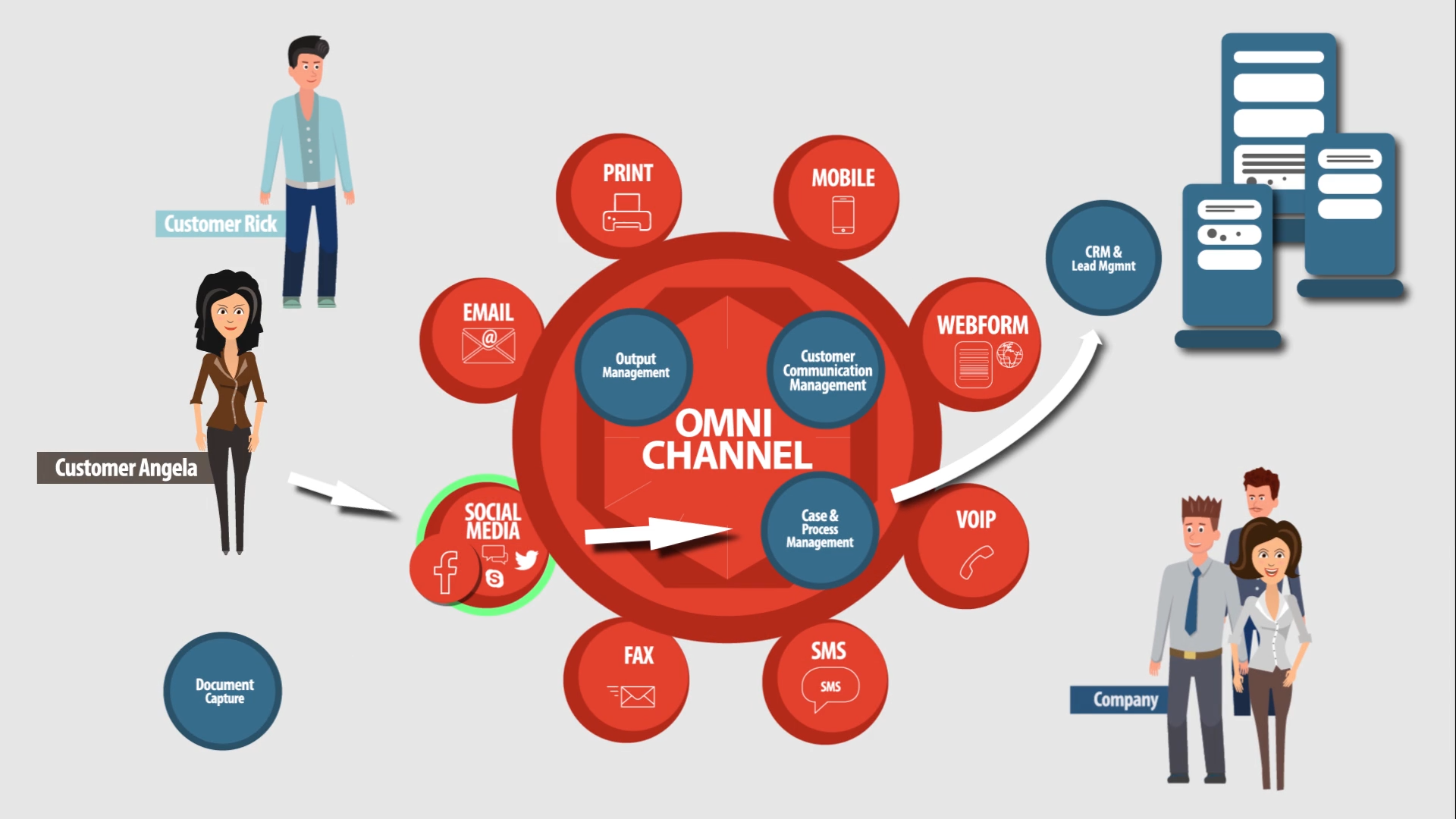
Communication can be a document, a dialog, a sticker on the document, a data record, an e-mail or a voice mail and all of it is business process driven. The Papyrus process engine does not use a simplistic procedural flowchart graph to define the process but instead the Papyrus BPM is State and Event driven to avoid problems associated with parallel activities and the rigid sequence of a procedure. This state and event driven process does not require complex decision blocks nor listen-for-event-loops. All changes of the process are defined in the Desktop and stored in the central WebRepository.
Document = Content = Process
Benefits/Gains to be achieved:
• There is less process tuning and correction because an unforeseeable event sequence does not invalidate the process
• If you change the state engine and event definition of one item all processes using this item will automatically be updated
• Changes of the process do not require Java coding
• No programming of dialogs required
Document composition from reusable elements
This methodology is an effective and efficient design that allows for the reuse of building blocks (text, forms, signatures, logic, data) across many different document applications.
Maintenance of each building block is a one-time change that is executed in all documents where the element is used. For fast administration and testing, WebRepository provides information as to which document a certain text element is used and who is the owner of it.
Benefits/Gains to be achieved:
• Greater efficiency by reusing elements/content across multiple applications
• Fast testing and sign-off where each element is used
• Changes of elements are a one time effort and are automatically performed in all documents where the element is used
• Enforces corporate standards CD/CI
Versioning and validation of templates and all document elements
The Papyrus WebRepository allows you to set a version for each template, all document resources (fonts, forms, logos etc.) as well as data and logic. Each element can be validated by the date and time.
Benefits/Gains to be achieved:
Any element, i.e. marketing messages, can be developed and signed-off at any time to be stored in WebRepository. The electronic agent of the system will at a defined production date automatically place the element into production and de-activate it when its time has expired.
Deployment: Automatic software and resource distribution
The Papyrus System employs a peer-to-peer transaction mechanism to set up as many transparently communicating nodes as needed that all employ the same core kernel code regardless of the operating system. These nodes are managed and deployed from the WebRepository which also holds the role/policy collection, all user definitions and document resources. When the user goes online all valid information will be automatically presented to the user in the Desktop.
Benefits/Gains to be achieved:
• In this simplified business process environment there are no more multiple interfaces to be defined and managed
• All node communications are transparent to the user, administrator and the operator of the system
• High costs associated with software and resource distribution are greatly reduced
The essential first step to open up the business process bottleneck is to handle ALL inbound and outbound documents within one environment.
Change Management
Papyrus change management executes defined user roles and policies based on the version of the document’s resource and its validation (i.e. marketing text is valid from/to). Due to WebRepository’s use of an advanced STATE engine the document is automatically moved by the electronic agent of the system through certain states and change management processes (develop/test/sign-off/production).
Benefits/Gains to be achieved:
Absolute control by the system for document application changes at different stages.
Security: User Access Management, Audit Trail and Digital Signature
Security today is often external and an afterthought. The security definition must be part of the application and therefore an integral part of the WebRepository. ¬ Papyrus provides auditing and access control capabilities along with Papyrus ¬WebRepository functions that include hierarchical delegated administration, monitoring, digital signatures, data encryption, user authorization and authentication.
Benefits/Gains to be achieved:
• Papyrus enforces centralized user access policies as companies grapple with compliance requirements such as HIPAA and the European Data Protection Directive
• Security is centrally defined
• User information can be read via LDAP from another system
• Achieve full compliance for all business communication
Job Management across platforms and all output channels (inbound and outbound)
Print/Job/Spool/Queue Management across all platforms in a TCP/IP network and multiple output channels such as printers, faxes, e-mail servers, Web and Archive are defined and stored in the Papyrus WebRepository and presented through the Papyrus Desktop. From the Desktop, authorized users have centralized supervision and administration of their printing by monitoring the print processes. Agent technology is used to perform highly flexible process automation based on the document’s status.
Benefits/Gains to be achieved:
• Central administration and management of all jobs and output channels across different operating system platforms and hardware
• Graphical user interface simplifies the work of an operator, is easy-to-learn with far less time spent and fewer errors made
Rigidly defined business processes kill
corporate agility and flexibility.
User Trains Computer
The user can assemble the business cases dynamically and the assembly process will be trained. The UTA (user trained agent) uses the trained decision patterns to either suggest next steps or perform them automatically as long as they do not require free text or data entry as these would have to be performed by the user as part of an activity.
Benefits/Gains to be achieved:
• The trained business case is a perfect example of a complete SOA compliant business case that has not been coded or programmed
• It enables users to continuously improve business processes
• Without the need for complex analysis and rule coding work
• The overall cost and time of implementing and maintaining business processes is reduced to half of the usual state-of-the-art BPM tools
• No programming skills required
Business Rules for Business Communication
The central Papyrus WebRepository stores and manages all business rules needed for the document and its business process. The business users can set, define and change the business rules from within Papyrus Desktop and reflects the decisions and exceptions to company rules. These defined rules can then be reused across different document applications and their process.
• Rules can act on a process
- Agent executes Rules to modify document values
- Agent moves Tasks through steps (Queues)
• Rules can modify the document structure
- ‘Factory’ adds objects to the Task
• Rules can constrain the document
- Restrict certain methods whilst document is in state ‘draft’
• Examples
- WHEN CUSTOMER AGE is greater than 18 THEN INSERT ‘Car Brochure’ in ENVELOPE ‘Monthly Statement’
- WHEN PARAGRAPH ‘A’ USED THEN ALSO USE ‘B’
- WHEN STATE EQUALS ‘error’ THEN MOVE to ErrorQueue
Benefits/Gains to be achieved:
• There is no task related programming
• IT departments and programmers are not required
• Business users who understand the business model rules
• Easy deployment of rules
• Rules are maintained and changed centrally
Open standardized interfaces to business application data
Papyrus Adapters interface with WebRepository and fully support SOA Architecture. Adapters provide flexible integration between applications without the need for interface programming. The Papyrus Document System offers different Adapters such as HTTP, Messaging/MQ Series, SOAP, SAP XOM, COM, XML, LDAP and many more. Adapters allow for the quick handling of changes whilst respecting cost and quality. If a programmer has hard-coded the invocation of a service between two systems, then that results in connectivity- but not agility. The service invocation can’t be changed nor can additional services be added before or after it, without creating a programming project. There is the general agreement that any modifications to process flows that can be accomplished using a graphical or scripting tool are quicker, safer, and less costly than those accomplished by traditional programming.
Benefits/Gains to be achieved:
• Adapters are a platform neutral service exposure layer.
• API programming is eliminated and ensures agility.
Multi language document creation using variant control
Papyrus supports both SBCS (English, German, French ….) and DBCS (Chinese, Japanese, Korean) and enables the creation of personalized, language-relevant document building blocks using a single design that integrates with your existing data sources and systems easily. One document can incorporate multiple languages or the same document can be produced in multiple languages by setting a flag in the input data or by using the variant controls of versioning in WebRepository.
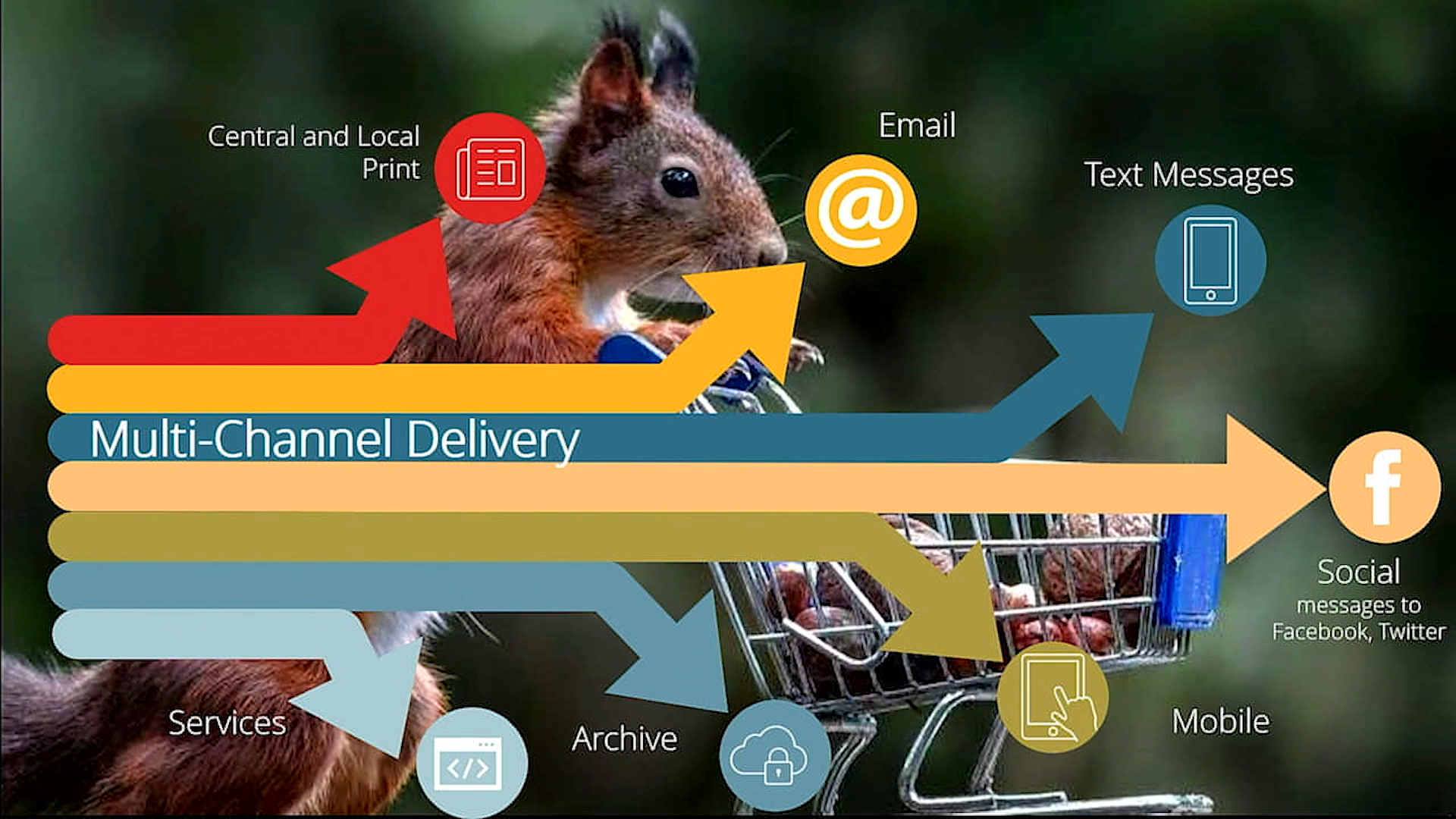
Marketing and business users are able to maintain documents and create rules-driven messages that are incorporated into communications at run time. All multi-lingual documents are ready for multi-channel delivery according to business and customer preferences.
Benefits/Gains to be achieved:
• Connecting with customers regardless of their language
• Fast and simple implementation and execution of different languages for one document
Offline Operation
By using Proxy Replication users can go offline and still enjoy the same functionality as in an on-line environment. Typically an insurance agent would perform his/her work at a customer site for some days. When coming back on-line the Papyrus ¬WebRepository will check the user’s authorization and supply new available document definitions to the user automatically.
Benefits/Gains to be achieved:
Same document definitions for online and offline users.
USER INTERFACE
Papyrus WebPortal
More than just a pretty user interface.
The Papyrus WebPortal is a part of Repository’s functionality that offers Web-based applications to streamline your business. All information related to the web user, business data and document type and layout are stored in the ¬WebRepository.
The Web browser functions are a multipurpose GUI that enables the customer or end user to view and interact with the business’ communication of virtually any type or format. Each end user’s experience is tailored to his or her role, enabling extensive flexibility either through the viewing of documents or interacting with them by filling in text and data. Document security, versioning and reconciling different taxonomies is taken care of by WebRepository.
Setting up a Papyrus WebPortal is easier than you think. The portal roles you create for one user can be applied to other users across the company, cutting down on implementation time and costs. Papyrus also delivers HTTPs server functions and integrates with third party HTTP servers. The full Papyrus Client text editing functions are available as a plug-in in the browser and all document formatting is performed centrally on the fly and are shown in PDF format in the browser.
Benefits/Gains to be achieved
• A unified document interface and a single point of entry
• Java coding not required
• Seamlessly integrated Web-based e-document solution where data, documents and applications interact within the portal process definition
N Document Framework Development
Graphical design of document resources. All resources, classes, versions, variants, jobs, etc. are stored in a central Repository. An integrated authorization system based on roles and policies eliminates unauthorized access and offers change management for document flow and sign-off. Features such as version and variant control, along with audit trailing, monitor changes in the document and keep track of letters produced by a variety of users.
N Business Application Data
The business application data can be directly read by ¬Papyrus in any format, such as XML, ASCII and EBCDIC. Papyrus offers several standard data interfaces: Flat files, SQL queries, Adapters (i.e. MQ Series), HTTP, TypeManagers for DB/2 and Oracle. Data preparation or data tagging is not required.
N Process Management
The process management is used to request documents from the server, which then manages the completely independent document process. Upon completion, a status is returned.
N The Central Production Server
A central PC or UNIX server receives data from Web users via HTTP. It interfaces with data from the business application and collects document resources and layout definitions from the central Repository. The e-document is generated on the fly and sent to the user in PDF format for viewing and local printing.
N Central Server Printing, Pooling and Archiving All Web-generated documents can be automatically archived, viewed, searched, and printed locally or centrally from virtually any platform and printer. Pages retain their original look and feel, complete with text, graphics, photos, and color and documents remain available for as long as they serve a useful purpose or legal requirement. These rules also govern the removal of documents when they have outlived their usefulness.
VALUE PROPOSITION
ISIS Value Proposition
Papyrus can cut project times and cost in half and does not require highly technical people who understand BPEL.
The OO model of BPEL (business process engineering language) is often used to implement the processes modeled in BPML. These can be imported into the Papyrus ¬WebRepository.
BPEL is not a standard as version 2.0 will be incompatible with 1.1 and vendors add proprietary Java coding to the BPEL functionality. This clearly shows that most workflow systems do require programming and create rigid interacting structures. To avoid this rigidity, the state and event driven process architecture of Papyrus is flexible enough to create dynamic and reusable process components without programming or BPEL.
TRUE INNOVATION
Papyrus Objects is True Innovation.
• Central Meta-Models in the Repository
• Test & Change Management
• Versioning and Deployment
• Business Process and Rules
• Trained Processes and GUI
• Portal Applications
• Integrated Security
• Binary Compatibility
• High-Availability
• Peer to Peer-Multi-Node
• Application Integration and Management
The Papyrus WebRepository centrally defines, controls and version manages all meta-data for all interfaces and all business case items. A Repository is always a management environment for application definitions. It contains meta-data only and does not hold instances. An archive on the other hand uses index-tables to search for instances but does not manage applications.
Papyrus WebArchive performs the long-term and short-term archiving on a media of your choice. Storage management attributes for each object ensures that it is automatically archived as soon as it reaches the appropriate state. Separate archive runs or conversions are not required.
Papyrus WebRepository Consolidation
Patents:
ISIS Papyrus has two patents for the Papyrus System, the first one for OO-distributed transactions and the second for the User-Trained Agent.
US Patent
no. 6848109
OO-distributed transactions
Patent Pending
60/865,078
User-Trained Agent
© 2010 ISIS Marketing GmbH -
Terms
of use/Privacy •
Impressum • ISIS
is not associated with Research Software Design (RSD) and its Papyrus Bibliography
software.